
How to access it?
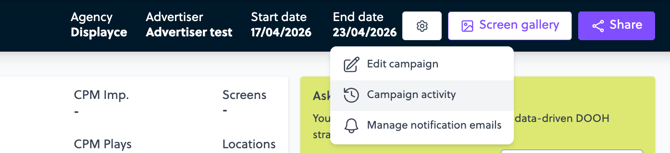
From any Campaign Summary page, click the ⚙️ icon and open the Campaign Activity section.
What you can see:
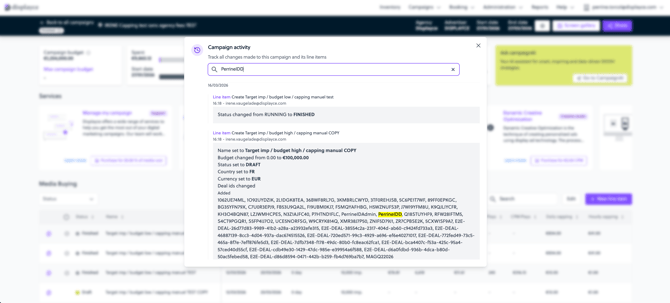
- All actions taken on the campaign and its line items
- The email address of the user who made each change
- The exact timestamp of each action
What's tracked:
Line items: Name, Status, Budget, Currency, Country, Deal IDs, Start and end dates, Pacing strategy, Automatic capping, CPM boost, Publication date
Campaigns: Name, Max budget, Currency, Advertiser, Agency fees, DSP fees, PON (Purchase Order Number)
Navigating the log
Use the search bar at the top of the modal to filter entries by line item name, user email, field name, or any value — including deal IDs.
Deal ID changes
When deals are updated on a line item, the log shows:
- Removed — deals that were deselected
- Added — deals that were added
- Final list — the active deal selection at that point in time (click to expand)
Things to keep in mind
- Not all actions are tracked yet. Coverage will expand in future updates.
- The log is read-only — it cannot be edited.